The CD originally has the data that is effective for the moment of creation of the CD. The last modification date may be found by selecting the ‘Help’ and then clicking the ‘About’ menu item. You should update the database on a regular basis in order to keep the database up to date.
To perform the update: on the ‘Update’ menu point at ‘Update’ and then click on the ‘Update data’ item.
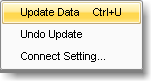
This will bring up the Update settings window:
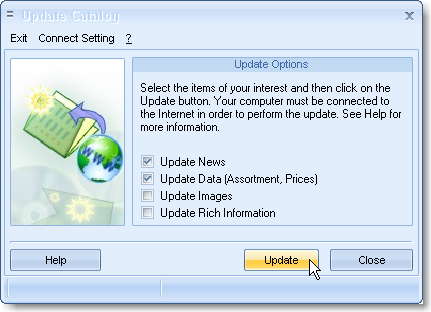
Check the needed items and click on the ‘Update’ button.
The ‘data update’ means making changes in the items’ records (e.g. the price), adding new items (See “How to work with the Catalog” for more.) Through the modem, the update will take just 1-2 minutes (50-70kB). During the update you will also receive the news and announcements, which appear on the first page every time you start the program.
‘Update images’ – retrieves the missing images. Unlike the high-quality photos provided on the CD, the images you receive during the updates have lower quality – for the purpose of saving the downloaded data volume.
IMPORTANT: when updating the data, prices in the current order do not change – even if they change in the catalog.
Tip: If you have the Internet access handy, perform the update before forming a new order.
This update is not a must, for the program’s proper functioning. If you do not have access to the Internet, you may simply order a new CD.
You can always roll back to the original data by performing the ‘Undo update’ command on the update menu.
* This feature is optional, and it depends on the creator of this CD whether the feature is available or not.